

Nobody reads SMS. Everybody reads WhatsApp.
Send your business messages where your customer already is. Appointment reminders, updates, announcements. And they can answer with a single tap.
No credit card. Set up in 5 minutes.
Mesajhane in 23 seconds
Add the appointment, the reminder goes out on WhatsApp, the customer answers with one tap. All of it below.
Real product footage. Five-minute setup, first 14 days free.
Your customer is already there
Nobody opens the SMS inbox. WhatsApp gets opened dozens of times a day. Your message lands where it will actually be seen.
You get an answer back
SMS is one way. A WhatsApp message can carry buttons; the customer taps once and the answer lands in your panel.
Start with reminders, do not stop there
The first use is appointment reminders. After that it is up to you: campaigns, order updates, payment reminders.
Two ways to send the same information
Both reach the customer. One gets read.
SMS
SALON AYCA 11.09 2PM appt. To cancel call 0850 XXX XX XX. Ref B001
Cannot be answered
Hello Zeynep, your Haircut appointment is tomorrow at 2:00 PM. Tap below to confirm or cancel.
| SMS | ||
|---|---|---|
| Getting read | Most stay unopened in the inbox | The app is already opened dozens of times a day |
| Replies | One-way; the customer cannot answer | Confirm / Cancel buttons land in your panel |
| Length | Cut at 160 characters, second message billed | Long text in a single message |
| Formatting | None | Text, buttons and your business name together |
| Sender | An anonymous short code | Your business name at the top of the message |
| Tracking | No delivery confirmation | Delivered and read status in the panel |
This compares the methods; pricing varies by carrier and country.
Businesses without an appointment book use it too
If you need to tell a customer something, Mesajhane does the job. Start with a ready template for your sector, or write your own.
Car rental
Pickup and return times, contract extension, fine notices
Hello Kemal, your car (plate 34 ABC 123) is due back tomorrow at 10:00. We are waiting at the airport office.
Make your message actually get read.
Not lost in an SMS inbox.
Three steps
- 01
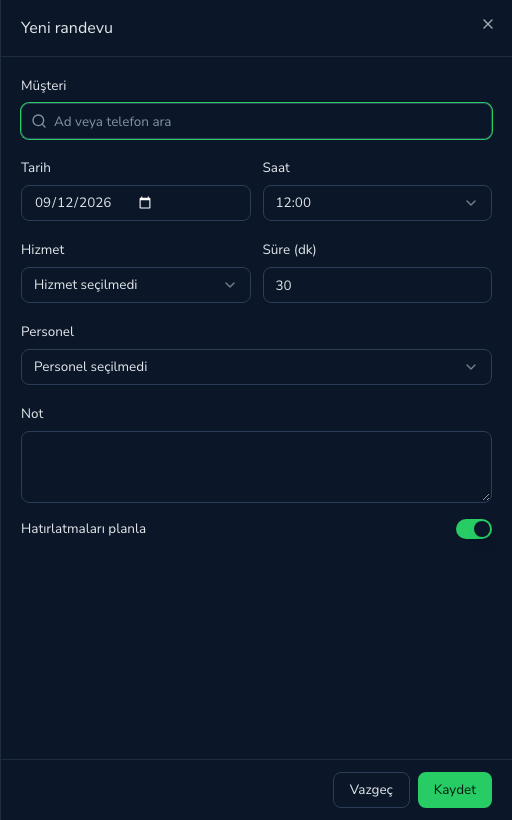
Add the appointment
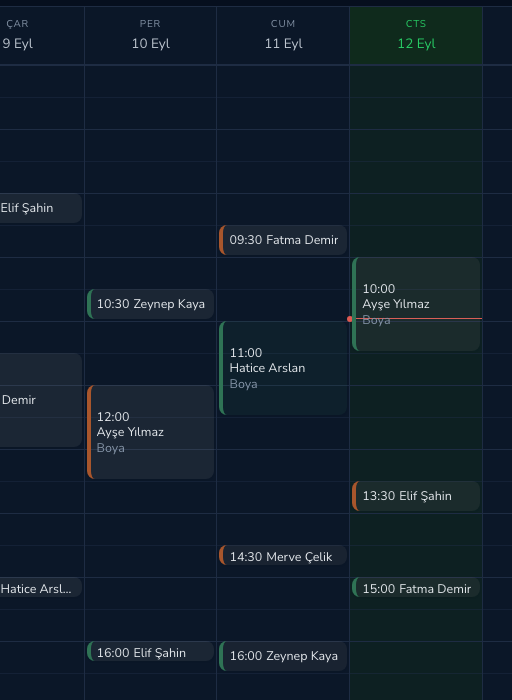
Click an empty slot in the calendar, pick a client or create one. Reminders are scheduled automatically.
- 02
The reminder goes out
By default 24 hours and 2 hours before. You choose the timing and the quiet hours.
MMesajhaneAyça Beauty StudioHi Emma, this is a reminder of your Haircut appointment on tomorrow (Friday, Sep 11) at 2:00 PM. Please let us know using the buttons below.
09:41ConfirmCancel - 03
The answer lands in your panel
Confirm turns the appointment green; Cancel shows up in the panel and in your inbox.
What is in the panel?
Everything you see after signing up. No add-on modules, no extra fees.
Calendar and appointments
Day, week and list views. Click an open slot to book; reminders are scheduled right then. Staff conflicts are checked.
Your own template
Write your text and submit it for WhatsApp review. Once approved you can send it to any customer, no appointment needed.
Customer card
Phone, consent status, no-shows and message history on one screen. Bulk import via CSV.
Quiet hours and quota
Nothing goes out at night; it waits until morning. Your remaining messages show in the top bar; top up when you run out.
Reports
Confirmation rate, no-shows, recovered appointments, message cost. Pick a date range and export CSV.
Team and roles
Add staff accounts; they see their own appointments and cannot touch settings or billing.
Consent and privacy
Consent is recorded per customer. If someone opts out, sending stops immediately and permanently.
No setup
No number to buy, no SIM card, no device to keep online. You can send the moment you sign up.
The actual screens
These are not mockups — this is the real panel. The demo account opens the same thing.
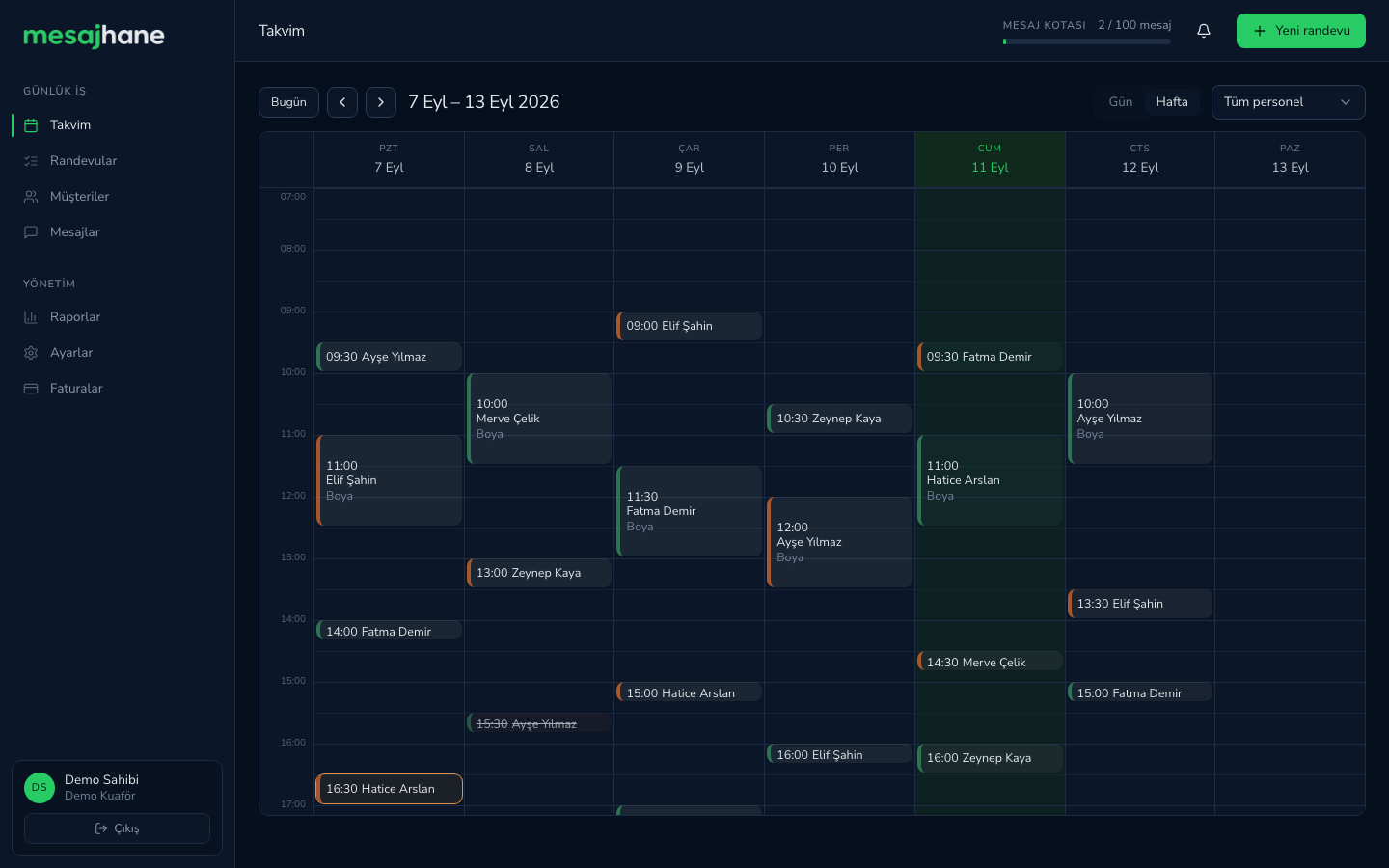
Week view. Colour tells you the status: confirmed green, awaiting reply orange, cancelled struck through. Click an open slot to book.
Setup time
Hardware and SIM cost
For a customer to reply
Free trial
Simple pricing
Starter
- 1,000 messages / month
- 2 users · 5 staff
- Unlimited appointments and clients
- Ready-made message templates
- Calendar, reports, CSV import/export
Pro
Most chosen- 3,000 messages / month
- 5 users · 15 staff
- Unlimited appointments and clients
- Ready-made message templates
- 1 custom template
- Calendar, reports, CSV import/export
Business
- 10,000 messages / month
- 15 users · 50 staff
- Unlimited appointments and clients
- Ready-made message templates
- 5 custom templates
- Calendar, reports, CSV import/export
- Priority support
Trial: 20 messages, 14 days · Run out? Add 1000 messages for $39 · Prices exclude VAT.
Frequently asked questions
One by one, or in bulk from a CSV file. During import you must mark WhatsApp consent for each client; no message is sent to a number without consent.